The Easytrack Web Portal — Your Fleet Command Center in the Browser
Run everything from one screen: a live map of the whole fleet, deep reporting and exports, geofence setup, digital logbooks and user management. No install — just log in from any browser and take control.
- Live map plus full history for every vehicle, machine and asset
- Reports and exports (PDF / Excel) for logbooks, routes and utilisation
- Set up geofences, manage users and organise the whole fleet in one place
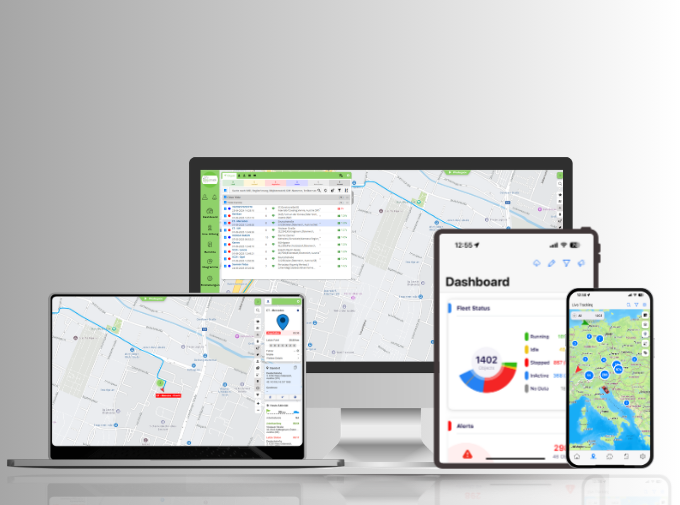
Everything in one place, on the big screen
The web portal is where the whole operation comes together. See every vehicle live, drill into any trip's route and speed, build the reports finance and management need, and set the rules — geofences, alerts, user access — that the app then carries into the field. It's the depth a fleet needs for planning, documentation and control, in a browser-based platform that needs no software to install and works from any desktop.
Explore the portal →What the portal does
Enterprise-grade tools for fleet control, compliance reporting, and team management.
Fleet-wide live dashboard
Every vehicle, machine and asset on one map and one dashboard — built for a full screen and quick decisions.
Reporting & exports
Turn live and historical data into reports; export logbooks, routes and utilisation as PDF or Excel in a click.
Digital logbook management
Review, categorise and export trips across the whole fleet — tax-ready records without chasing paper.
Geofence & alert setup
Create and edit zones, set alert rules and manage notifications centrally — changes sync straight to the app.
Multi-user & roles
Give managers, dispatchers and drivers the right level of access, with roles and permissions you control.
History & analysis
Look back over routes, stops, idle time and operating hours to plan maintenance, cut cost and improve utilisation.
Built for the people who run the fleet
- Fleet managers: the full picture — live status, history and utilisation — in one place, on one screen.
- Finance & admin: clean, exportable logbook and route reports for tax and internal review, without the manual work.
- Graphic Design/Admin: control zones, alerts and who can see what — set the rules once, enforced everywhere.
What our customers say
How management and operations teams rely on the web portal.
"The portal is where I do the real work — monthly reports, logbook exports, setting up zones for new sites. It takes minutes instead of an afternoon."
"We gave dispatch and finance their own logins with the right access. Everyone sees what they need and nothing they don't."
Pairs with the mobile app
The portal is your desk-based command center; the Easytrack app is the same platform on the move. Set up geofences, users and reports in the browser, and drivers and managers carry the live map, alerts and logbook in their pockets. Both stay in sync in real time.
Frequently Asked Questions
Take command of your whole fleet — from one screen
Live map, deep reporting, geofence setup and user management in a browser-based portal. Try Easytrack free for 14 days with no upfront cost, SIM included.